Home / Proof
ProofA Google review automation example you can inspect
Two working systems built for sample businesses. Both are labeled as demos, both were tested end to end, and every number below comes from those test runs. Nothing on this page is a client result.
Harbor Lane Dental, review request automation
Harbor Lane Dental is a made up name for this demo. It is not connected to any real dental practice.
Captioned, no sound, 60 seconds. Open the video file
The problem
A dental office wants more online reviews, but staff forget to ask, and asking at checkout feels rushed.
The workflow
Every 15 minutes the system checks the appointment list for visits whose follow up time has passed. That time is set by a formula at 24 hours after the appointment. For each visit it emails the patient a review request, marks the row as requested with a timestamp, and writes any failure to an issue log.
The tools
Make, Airtable and SMTP email.
What was built
A Make scenario with three steps and an error route on each, an Airtable appointment table with a follow up time formula, a review request email sent from the office's own address, and an issue log that records any failed step.
Results from the demo run
Test run on 17 November 2026.
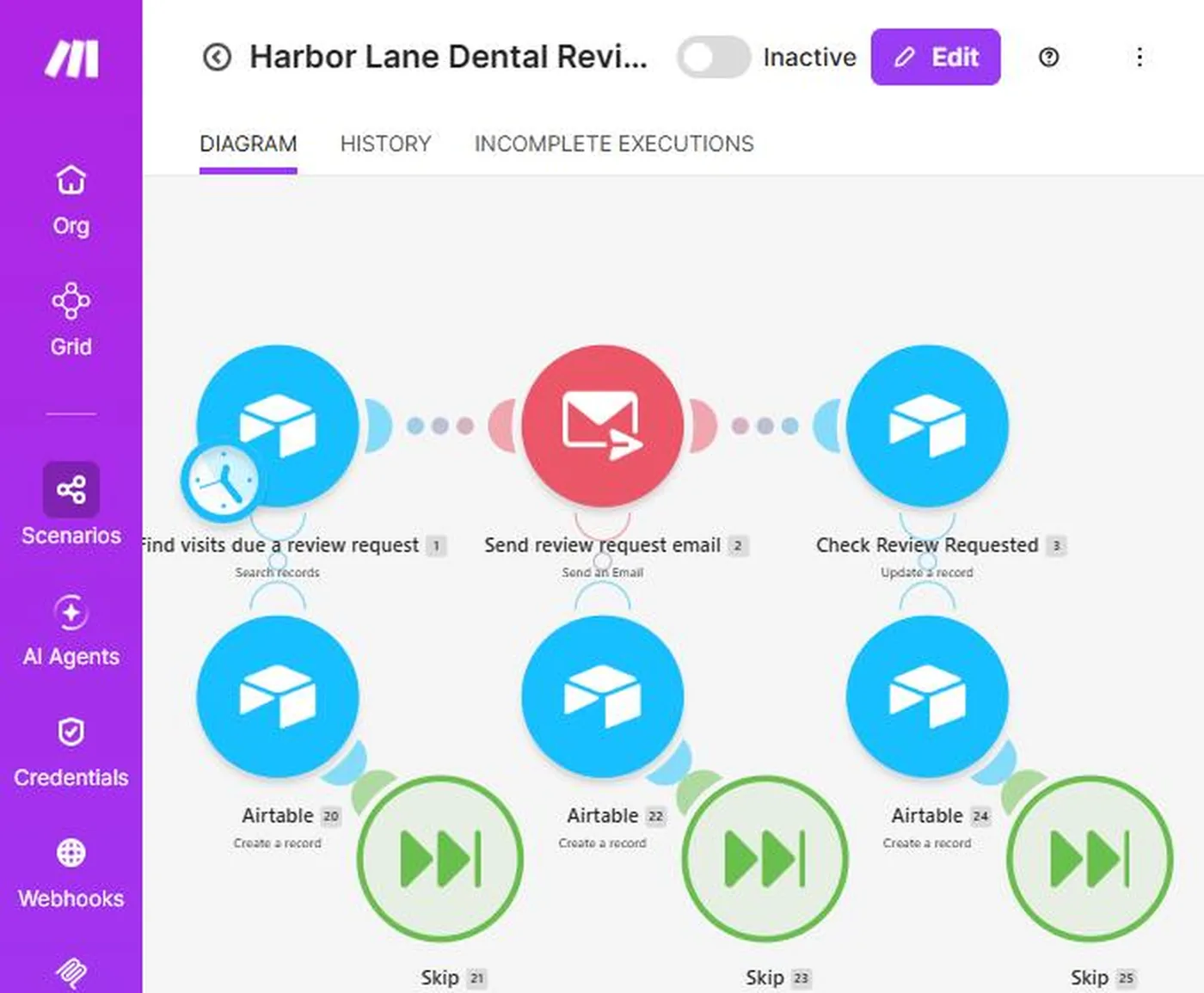
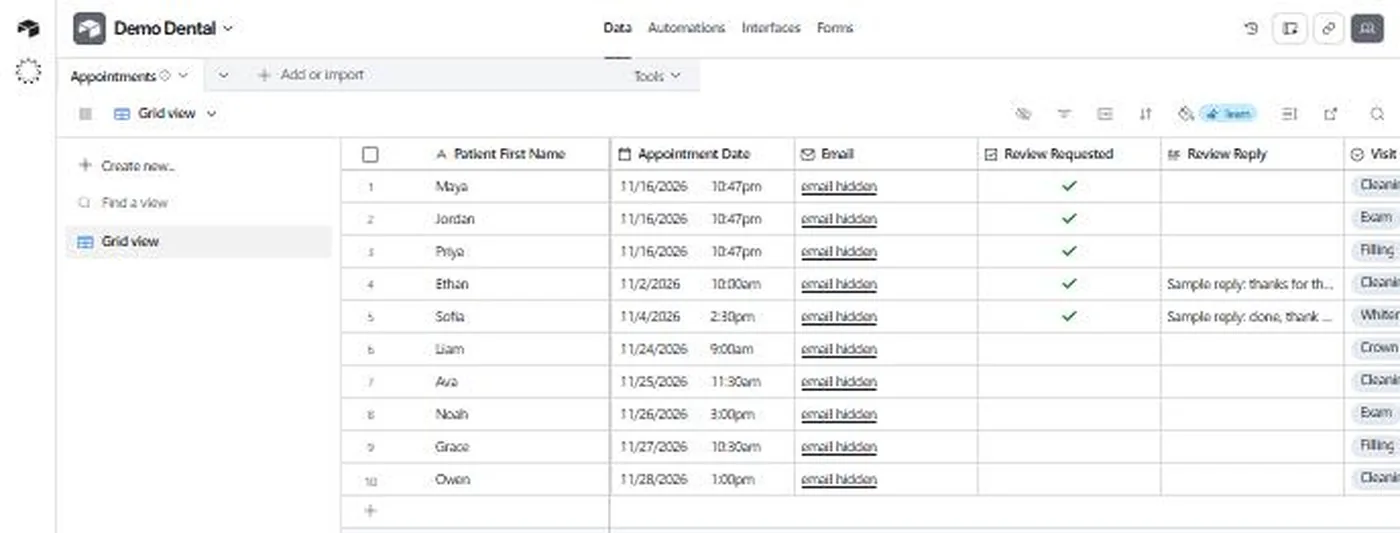
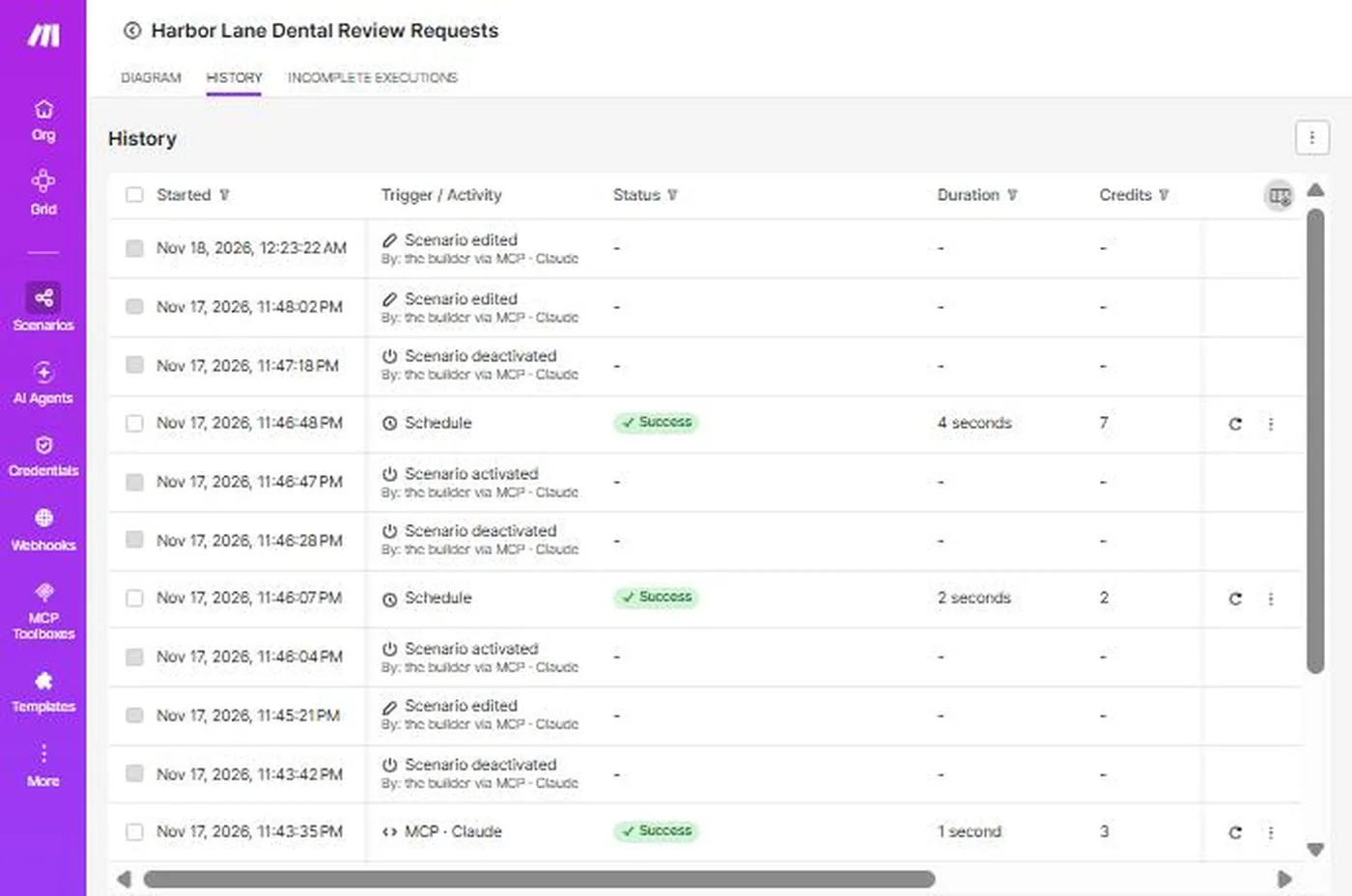
At handoff the client gets: the scenario in their own Make account, their own email and Airtable connections, a copy of the appointment table, error alerts to their own issue log, written handoff notes and a short screen walkthrough.
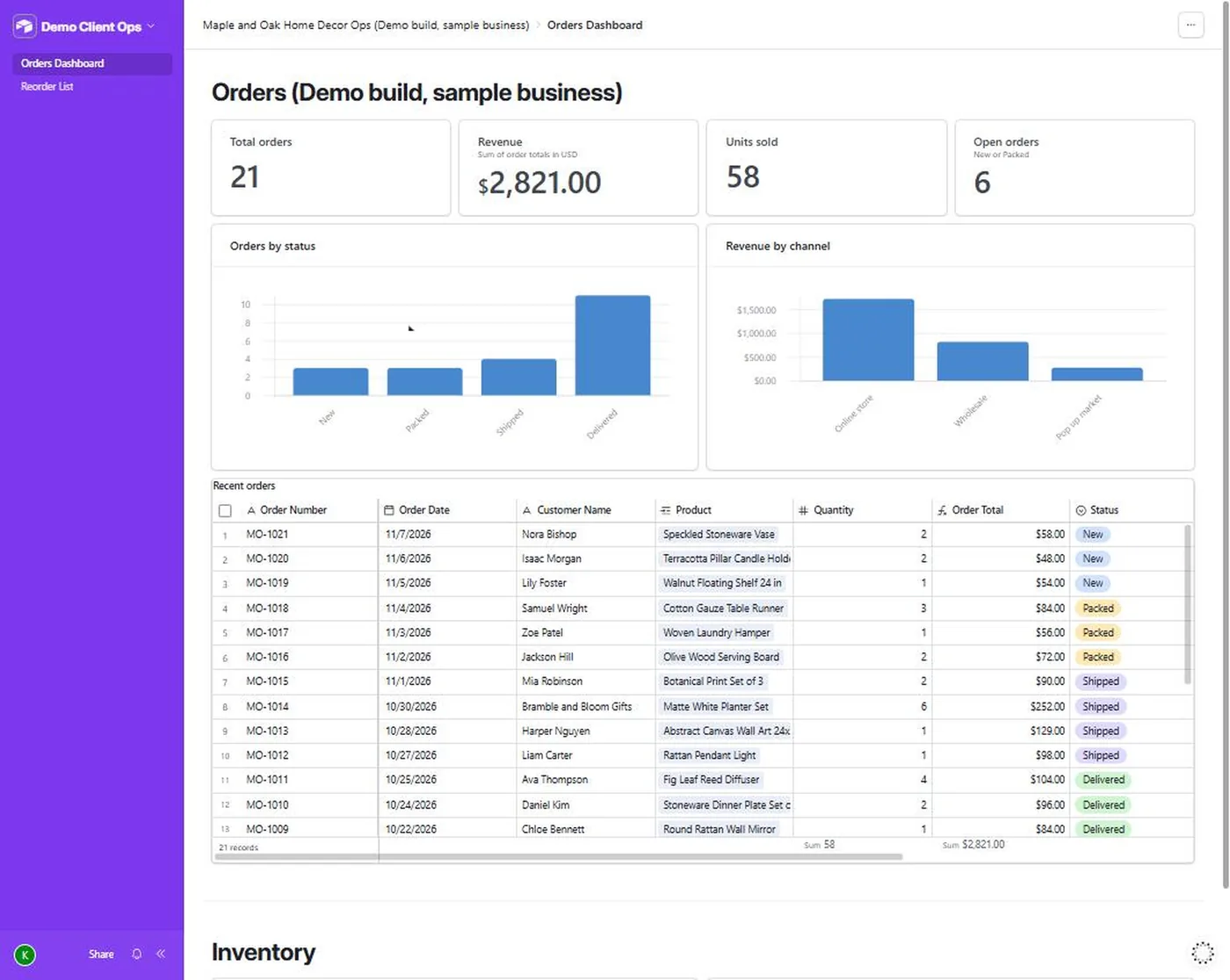
Maple and Oak Home Decor, order and inventory base
Maple and Oak Home Decor is a made up business. This demo shows the kind of Airtable work listed under other services.
Captioned, no sound, 60 seconds. Open the video file
The problem
A small home decor shop kept orders, stock and suppliers in separate spreadsheets, so low stock items were found late and every order confirmation was typed by hand.
The workflow
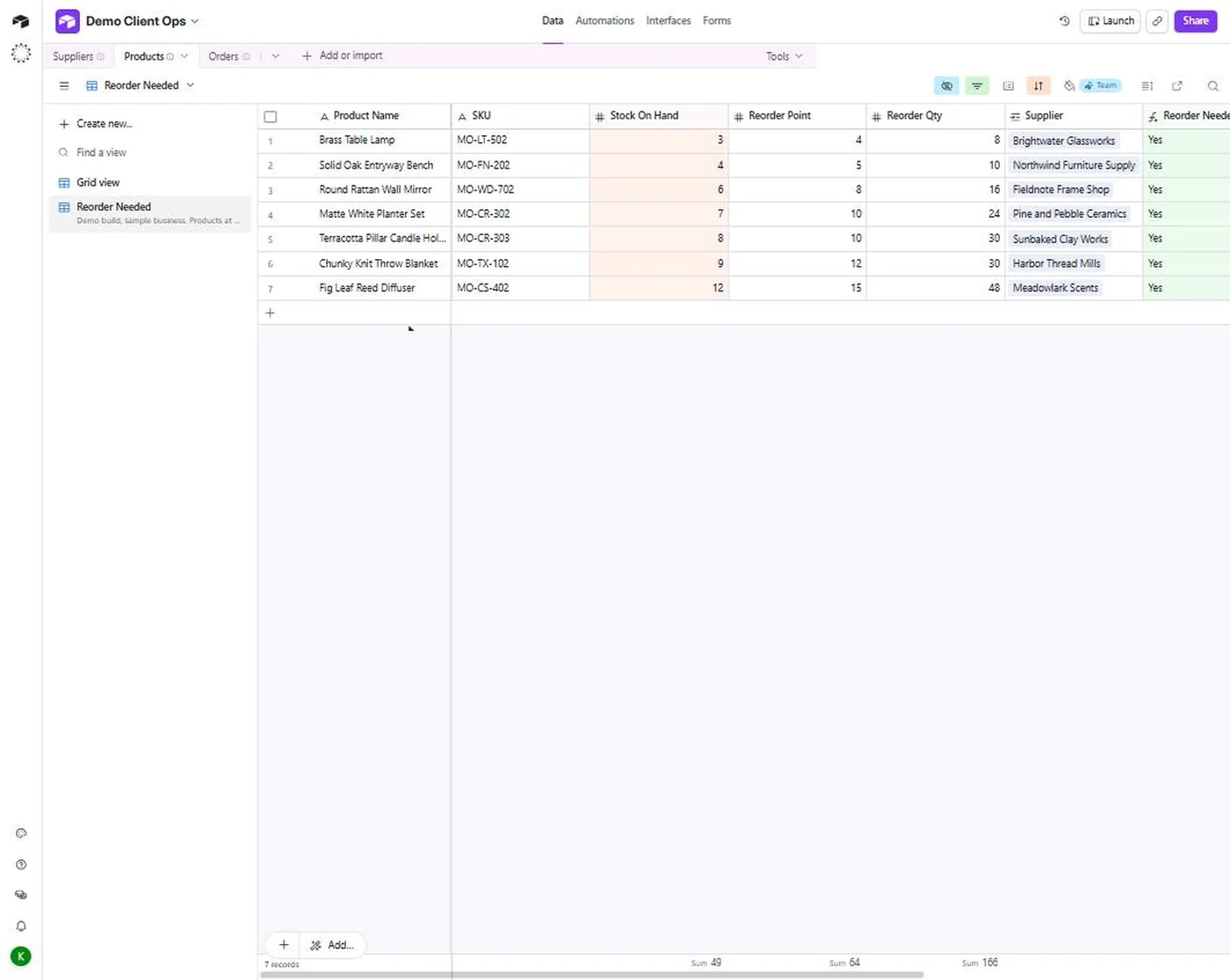
Orders, products and suppliers live in one base and link to each other. When a complete order comes in, the customer gets a confirmation email. When a product drops to its reorder point, it appears on the reorder list and the owner gets one alert.
The tools
Airtable tables, linked records, formulas, rollups, interface pages and automations.
What was built
Linked Orders, Products and Suppliers tables, a Reorder Needed view, an interface with an orders dashboard and a reorder list, and two automations: an order confirmation email and a low stock alert email.
Results from the demo run
Test run on 7 November 2026. You can open a read only copy of the demo base.
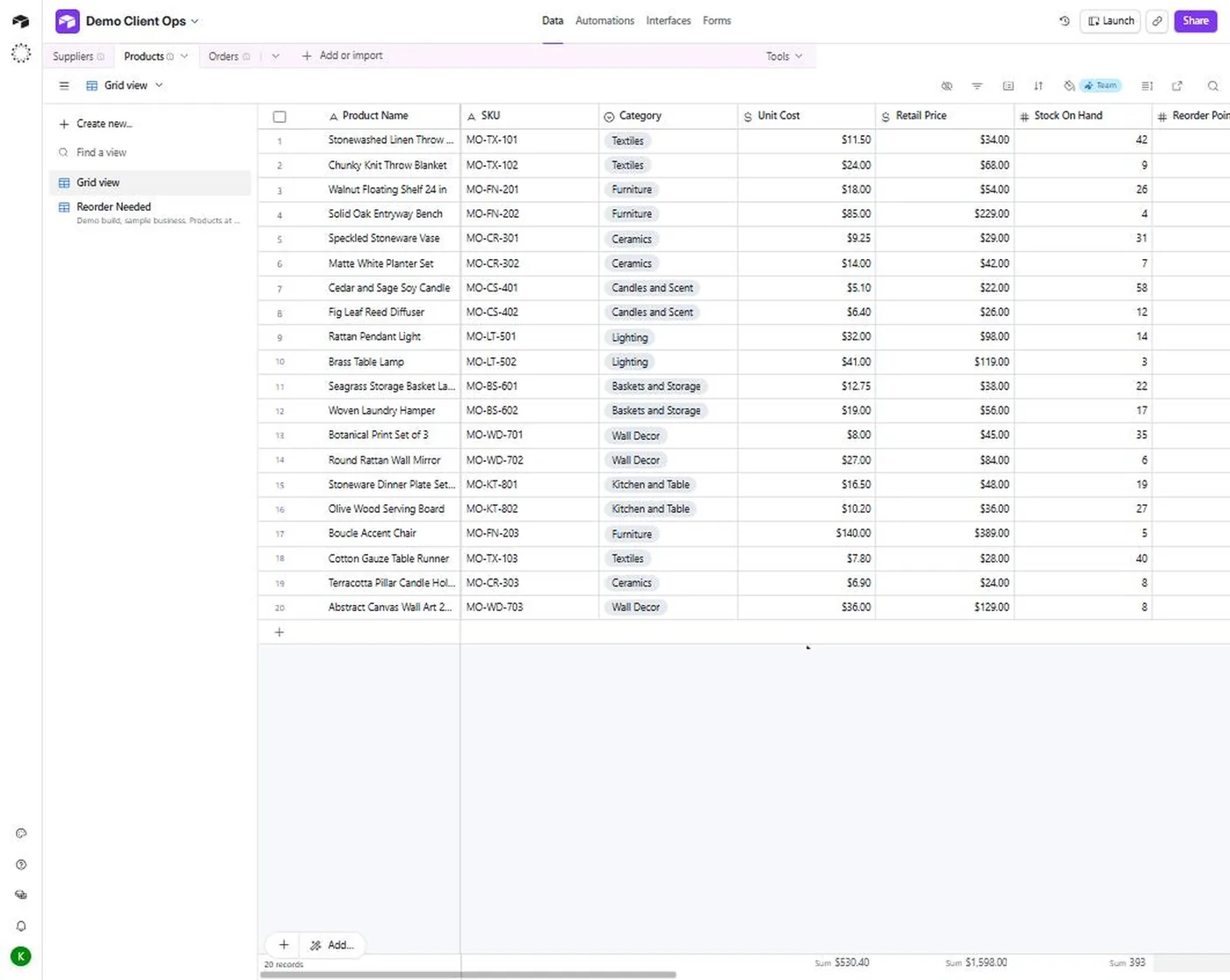
At handoff the client gets: a copy of the base in their own Airtable workspace, the two automations pointed at their own email address and switched on, written handoff notes and a short screen walkthrough.
Get your free demo
Send me your name, your business name and an email address. Within one business day I email you a free demo: the real review email your clients would get, with your business name on it. No call needed.
Your details are used only to reply to this request. See the privacy policy.
Last updated 24 November 2026
Also for other local businesses: dentists, salons and home services.